
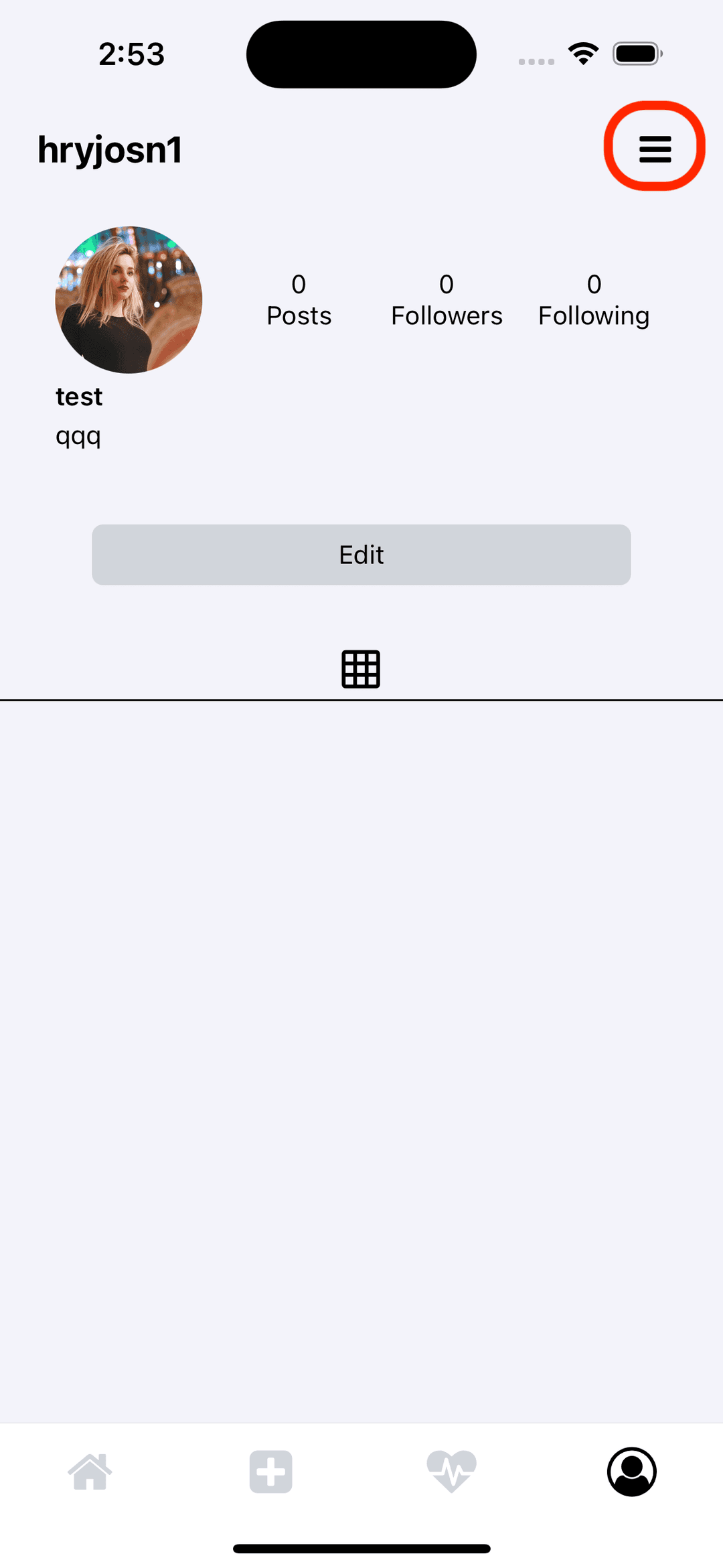
Step 1
Click the expand button in the upper right corner.
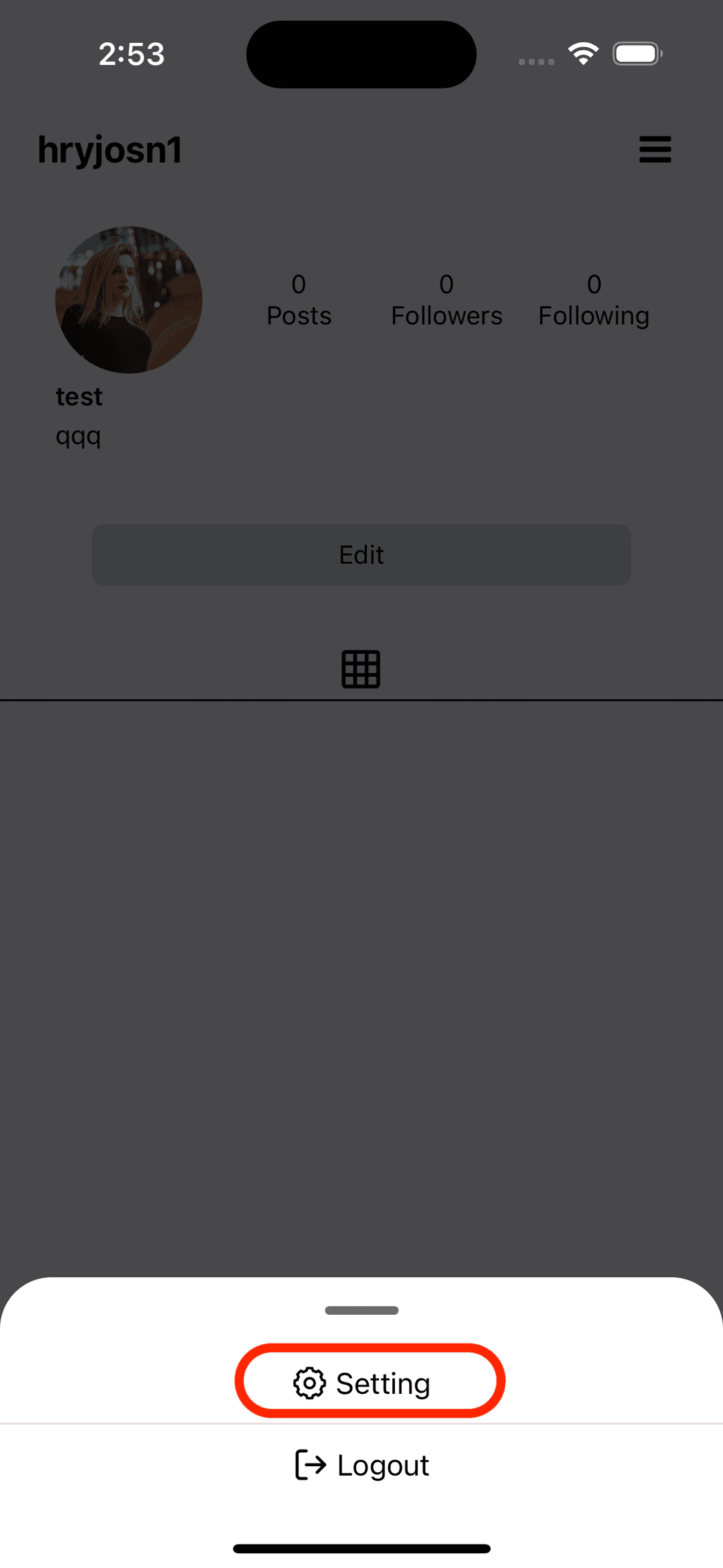
Click setting
Click the settings button below.
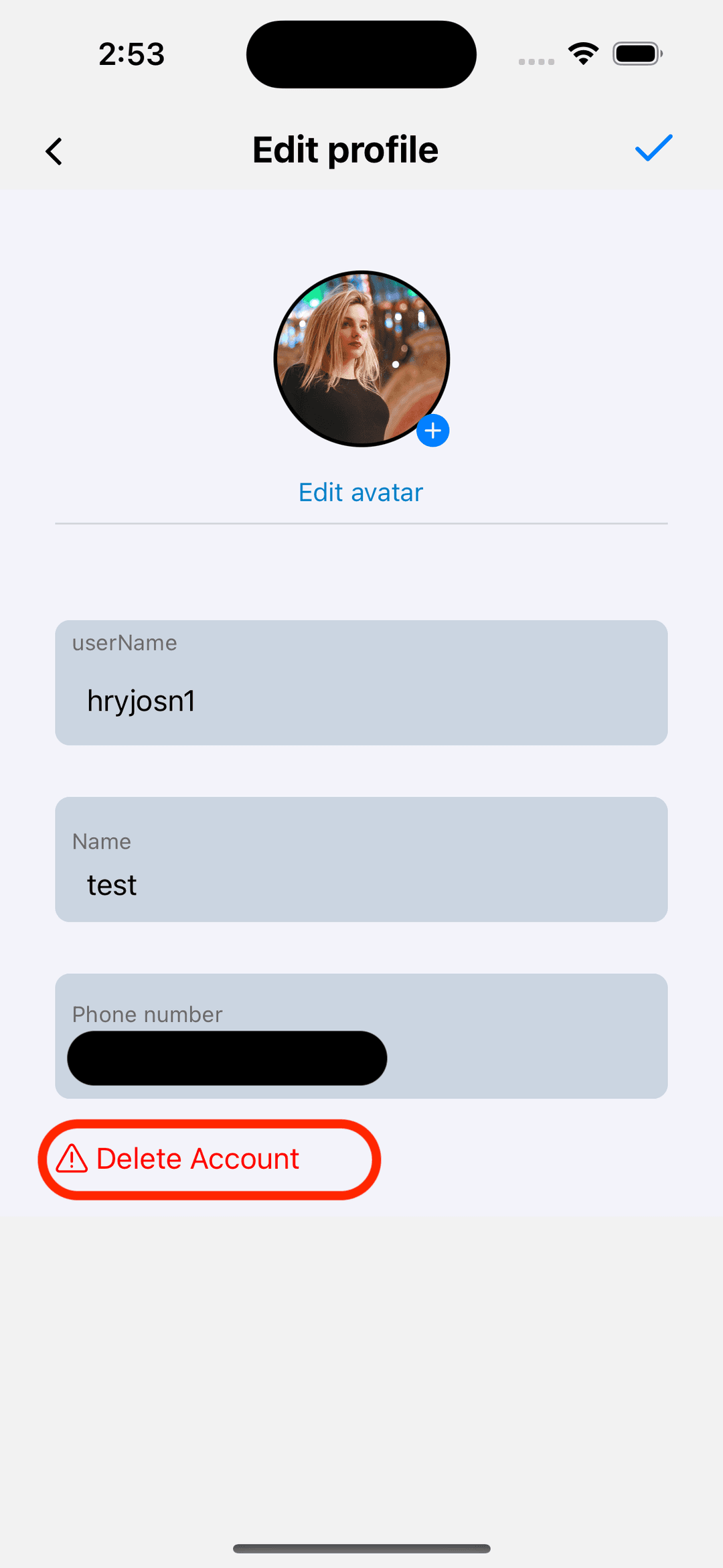
Click Delete Account
Click the 'Delete Account' red text below.
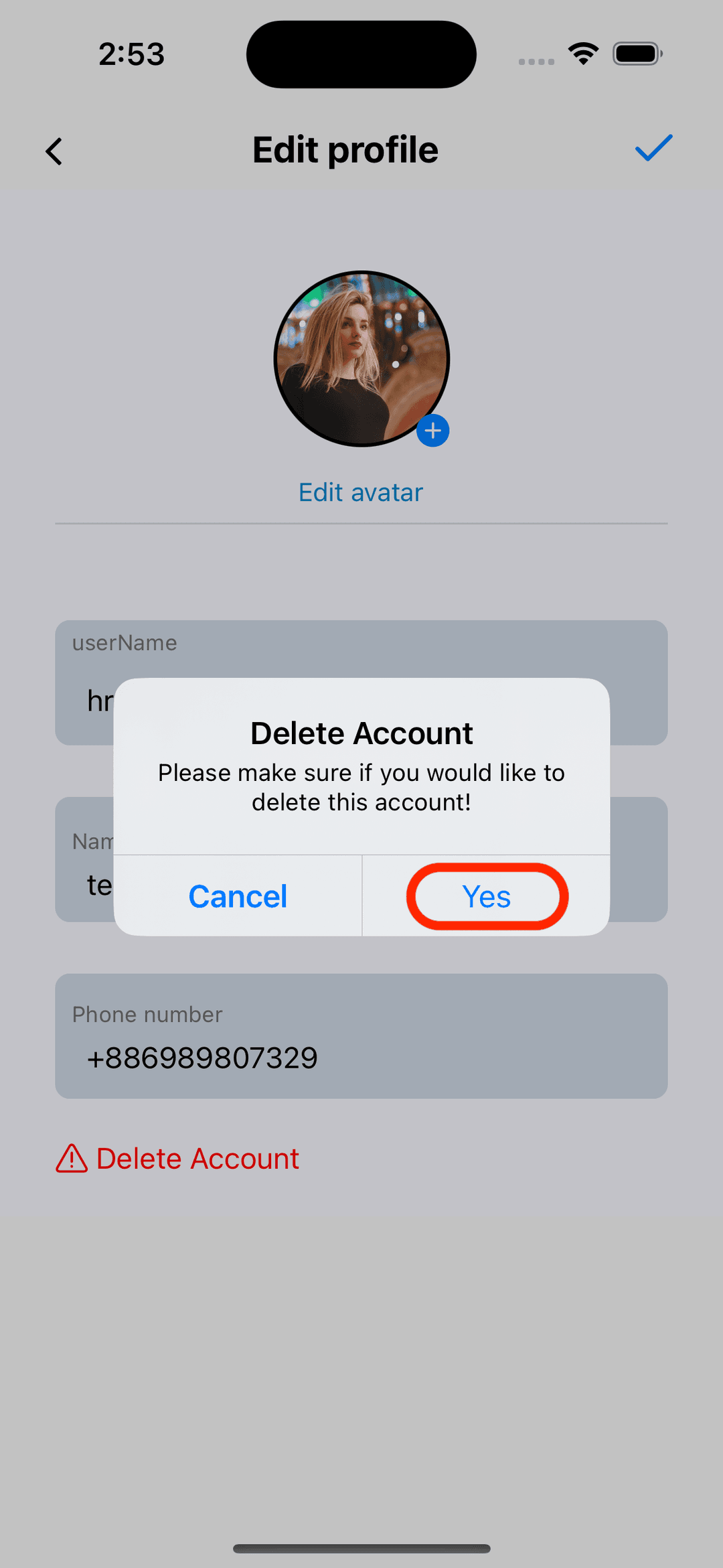
Confirm deletion
After clicking 'Yes,' your account will be temporarily deactivated. After 30 days, your account and related activities will be automatically deleted.
Need more help?
If you encounter any issues during the deletion process, please contact our support team at support@onlyface.app. We are here to help you.